AI companions for seniors exist that need no app, smartphone, or Wi-Fi, because they work over an ordinary phone call on a landline or flip phone. The article compares four formats: smartphone app, smart speaker, dedicated device or robot, and phone call.

Yes, AI companions for seniors exist that need no app, no smartphone, and no Wi-Fi. They work over an ordinary phone call, which means a parent can use one on a landline or a basic flip phone the same way they would call a friend.
If you are reading this, you probably already know the pattern. You found a promising app or gadget for your mom or dad, set it up on a visit, and watched it go unused a few weeks later. The problem was rarely the technology itself. It was the distance between what the technology asked of them and what they were willing to learn at 78 or 85, especially when a new device means new passwords, new screens, and new ways to feel like they are doing something wrong.
This guide explains what “no app” actually means for an older adult, compares the four formats an AI companion can take, and gives you a short checklist for deciding whether a phone-call companion will work with the phone your parent already has. It is written for adult children who have decided that phone-based is the right fit and want to know what to look for before signing up.
What are the four formats of AI companion, and what does each ask of your parent?
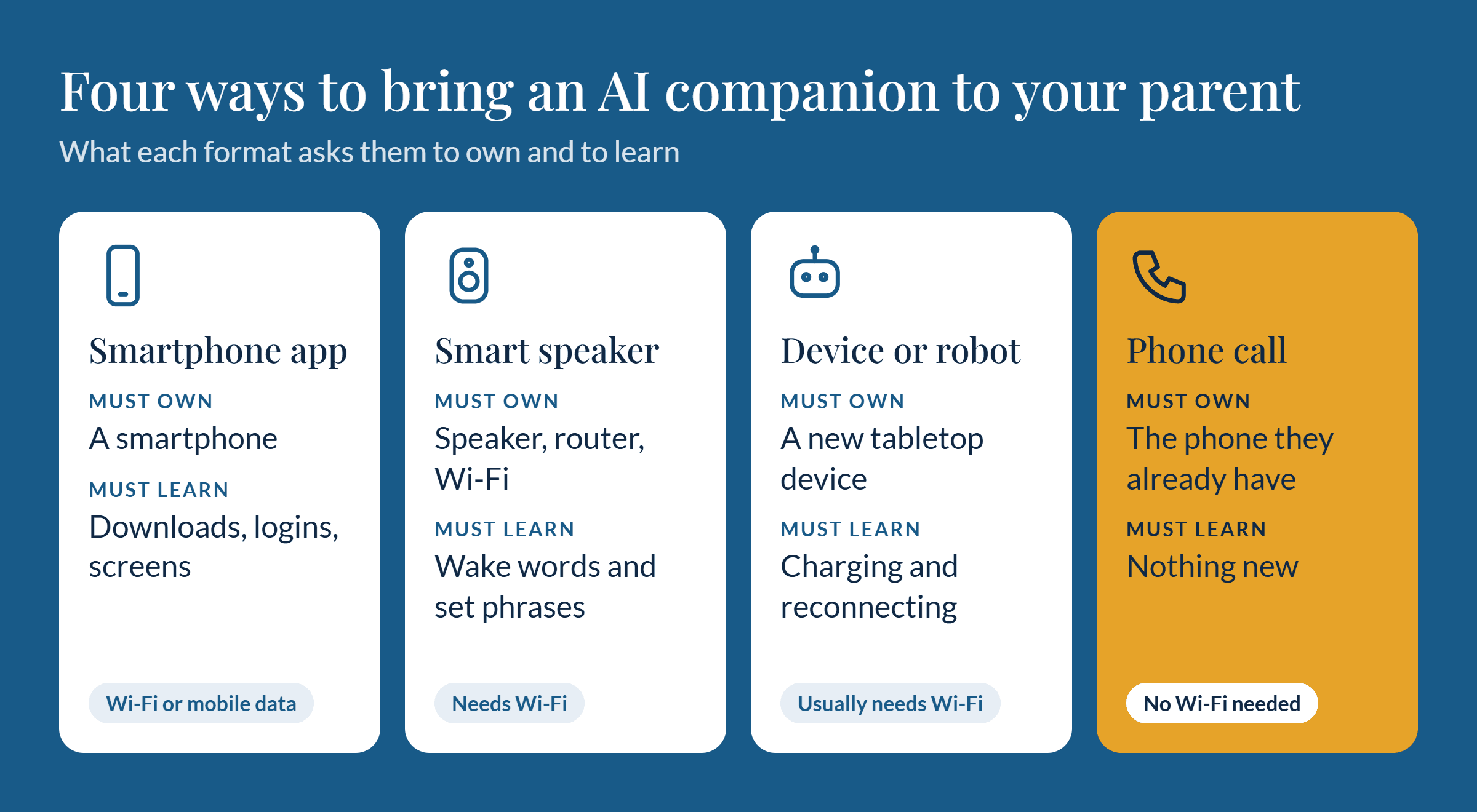
AI companions for seniors come in four formats: a smartphone app, a smart speaker, a dedicated device or robot, and a phone call. They differ less in how smart they are than in what your parent has to own, set up, and learn before the first conversation.
Format | What your parent needs to own | What your parent needs to learn | Needs Wi-Fi at home |
|---|---|---|---|
Smartphone app | A smartphone and a data plan or Wi-Fi | Downloading, logging in, navigating screens, updating | Usually, or mobile data |
Smart speaker | A speaker plus a router and Wi-Fi network | Wake words, specific phrasing, an account and setup | Yes |
Dedicated device or robot | A new tabletop device, often with a subscription | Where it lives, how to charge it, how to reconnect it | Usually |
Phone call | The phone they already have, landline or mobile | Nothing new: answer or dial a number | No |
Here is what that means in practice for each one.
Smartphone apps. An app can be capable and polished, and for a parent who already lives on a smartphone it can be a fine choice. But every step in the chain is a place to drop out: finding the app store, remembering a password, dismissing an update prompt, tapping the wrong icon. A parent who does not use a smartphone today will not become a daily app user because a family member installed one.
Smart speakers. A speaker removes the screen, which helps. It still depends on home Wi-Fi, an account someone has to create, and a way of speaking that suits the device. Many older adults find that they have to guess the right phrase, and when the speaker misunderstands them, they tend to blame themselves and stop trying.
Dedicated devices and robots. These are built with seniors in mind, and some are genuinely well designed. The trade-offs are cost, another object to place and charge, and the fact that it is a new thing in the house that needs to be noticed, remembered, and kept connected. It also only works in the room where it sits.
Phone calls. A phone-call companion asks the least. Your parent picks up when it rings or dials a number, and the conversation happens by voice. There is no device to learn, no screen, and no setup on their end. If they can answer a call from you, they can use it.
Why does “no app” matter more than the feature list?
The companion that helps your parent is the one they actually use, and people use the tools that ask the least of them. A long feature list means nothing if the first step is a download. A ringing phone asks nothing new.
This is easy to underestimate when you are comparing products. Feature lists are written for the person doing the buying, and the buyer is usually you. Your parent experiences something different: the moment of starting. Every extra step between “I feel like talking” and the first word is a chance to give up, and for someone who is already unsure about technology, one confusing screen can end the whole experiment.
There is also a quieter cost. When a device or app fails, older adults often assume the failure is theirs. They stop trying, and they may not tell you why. A format built on something they have done for decades, answering a phone, removes that risk. Nothing is unfamiliar enough to feel like a test.
A few signs that a no-app, phone-based companion is the better fit for your parent:
They do not own a smartphone, or own one but rarely use anything beyond calls and texts.
They have abandoned a tablet, smart speaker, or app that someone set up for them.
They still keep a landline, or use a flip phone by choice.
They get frustrated or embarrassed when technology does not respond the way they expect.
They are more likely to answer a ringing phone than to open anything on a screen.
If two or three of these sound familiar, features are the wrong place to start. Start with whether your parent can use the thing on day one, without you in the room.
What should you check before signing up for a phone-call AI companion?
Check four things: whether it works on the phone your parent already has, whether your parent can call in or it only calls out, what it does beyond conversation, and who can see what is said. Not every phone-based service answers these the same way, and the answers decide whether it will work in your parent’s actual day.
Does it work on a landline or flip phone?
A true no-app companion should work on any phone that can place and receive calls. That includes a landline, a corded phone, a basic flip phone, and a smartphone used only for calls. Ask directly: “Does my parent need a smartphone, an app, a text message, or Wi-Fi at any point?” Watch for services that call themselves phone-based but still require a text link, a verification code sent to a smartphone, or an online account your parent has to manage. Setup can be handled by you, but the daily experience should need nothing beyond the phone.
Can your parent call in, or does it only call out?
There are two patterns. In an outbound-only service, the companion calls your parent at scheduled times, which is predictable but leaves them with no way to reach it when they want company at 3 p.m. on a hard day. In a two-way service, your parent can also dial a number themselves. For many seniors, the ability to call whenever they like is what turns a scheduled check-in into something they feel they control. Ask whether calling in is supported, whether there is a number your parent can save to speed dial, and whether the service can do both.
What does it do beyond conversation?
Conversation is the core, but it is worth knowing what else a service offers, and what it does not. Useful questions include:
Can it give reminders, such as medication times or appointments, by phone?
Does it remember earlier conversations, so your parent is not starting from zero every call?
Can it share updates with family, and if so, what kind and with whom?
Does it make clear that it is an AI and not a person?
What happens if your parent sounds distressed or mentions an emergency?
Be cautious of any service that implies it replaces emergency services or medical care. An AI companion is a source of company and routine support, not a safety system, and a good provider says so plainly.
Who sees what is said?
A companion that talks with your parent every day will hear personal things: health worries, family stories, names, routines. Before signing up, find out whether calls are recorded or transcribed, how long that data is kept, whether it is used to train AI models, who at the company can access it, and what family members can see. You want clear, plain-language answers, ideally in writing. If you are the one who set the service up, your parent should still know what is shared with you and what is not. Respecting their privacy is part of respecting them.
Looking for a companion that works on the phone your parent already has?
Join the Beta
Which phone-based AI companion should you choose?
Once you know phone-based is the right format, the choice comes down to the four checks above: compatibility with your parent’s phone, calling in versus out, features beyond conversation, and privacy. Those questions separate services that look similar on a landing page but behave very differently in daily use.
We compare the available phone-based options on exactly those points in a separate guide, AI Phone Companions for Seniors: How the Options Compare. It covers how each service handles landlines and flip phones, whether your parent can call in, what each offers beyond conversation, and how each treats call data, so you do not have to repeat the research here.
If you want a quick filter before reading it, start with two non-negotiables: the service must work on the phone your parent already uses without any new app or device, and it must be clear about what it records and who can see it. Anything that fails either test is not a no-app companion, whatever the marketing says.
The bottom line: the best companion is the one that rings
An AI companion for a senior who does not use technology should ask for nothing new. No app, no smartphone, no Wi-Fi, no setup on their end. A phone call meets that bar because it relies on something your parent has already used for most of their life.
Before you commit to any service, confirm that it works on your parent’s current phone, find out whether they can call in as well as receive calls, understand what it does beyond conversation, and get clear answers on who hears and stores what is said. If a service passes those checks, your parent has a real chance of using it, which matters more than any feature on the list.
Arthur is an AI companion that works over a regular phone call, built for seniors who do not want to download or learn anything. If that sounds like the right fit for your parent, you can sign up for the Arthur beta and be among the first to try it.